Introduction: Two Projections, Two Purposes
When working with azimuthal map projections, you'll encounter two primary types: azimuthal equidistant and Lambert azimuthal equal-area. While both share a circular format centered on a single point, they preserve fundamentally different properties—and choosing the wrong one can lead to significant errors in your work.
This guide will help you understand the differences, advantages, and ideal use cases for each projection type, enabling you to make the right choice for any mapping project.
Quick Comparison Table
| Property | Azimuthal Equidistant | Lambert Equal-Area |
|---|---|---|
| Preserves | Distance from center | Area (size) of regions |
| Distorts | Area and shape at edges | Distance from center |
| Best for | Navigation, radio, distance measurement | Thematic maps, statistical visualization |
| Direction from center | Yes | Yes |
| Created | Ancient origins | Johann Heinrich Lambert, 1772 |
| Common uses | Flight planning, ham radio, seismology | Population maps, climate data, atlases |
Understanding Azimuthal Equidistant Projections
What It Preserves
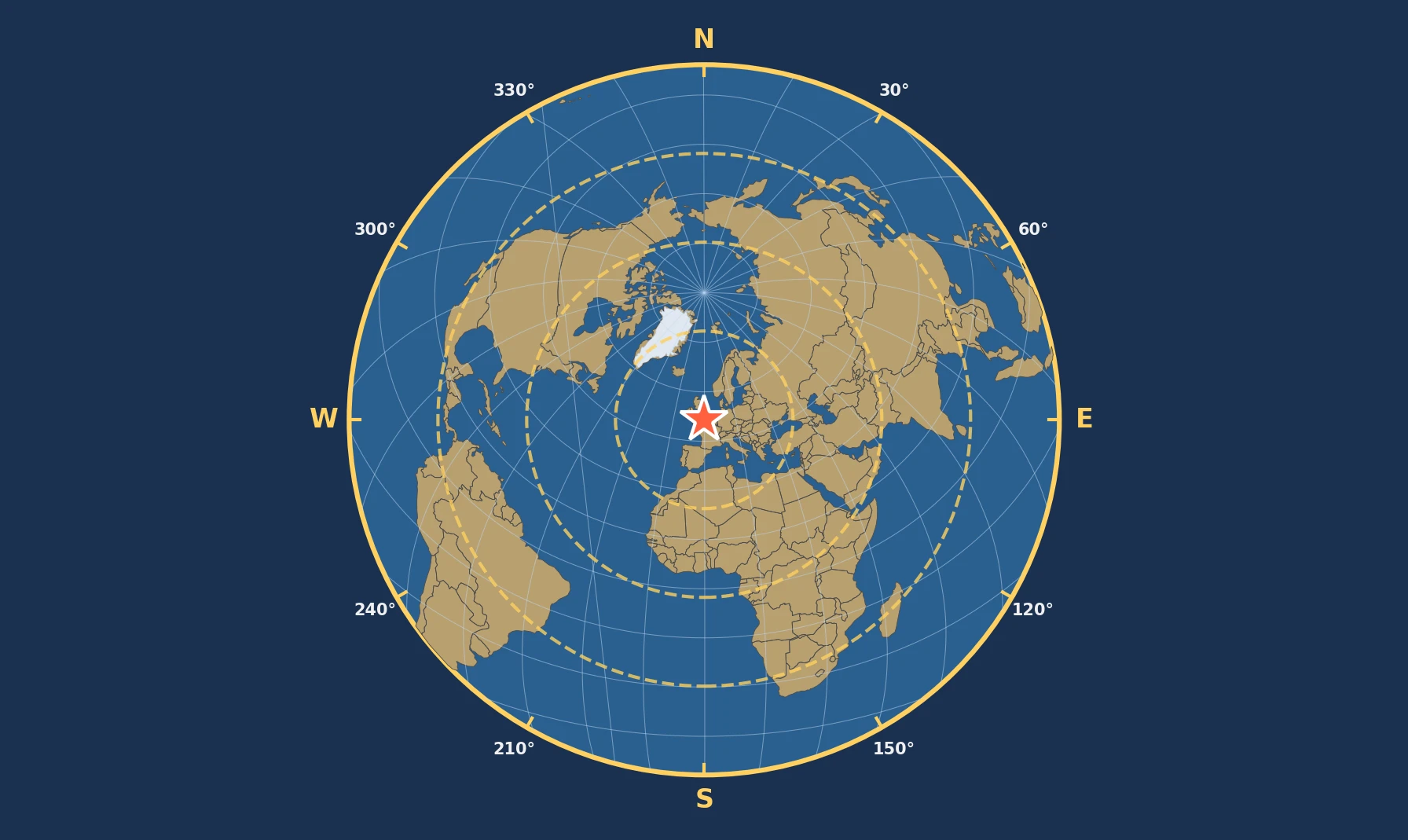
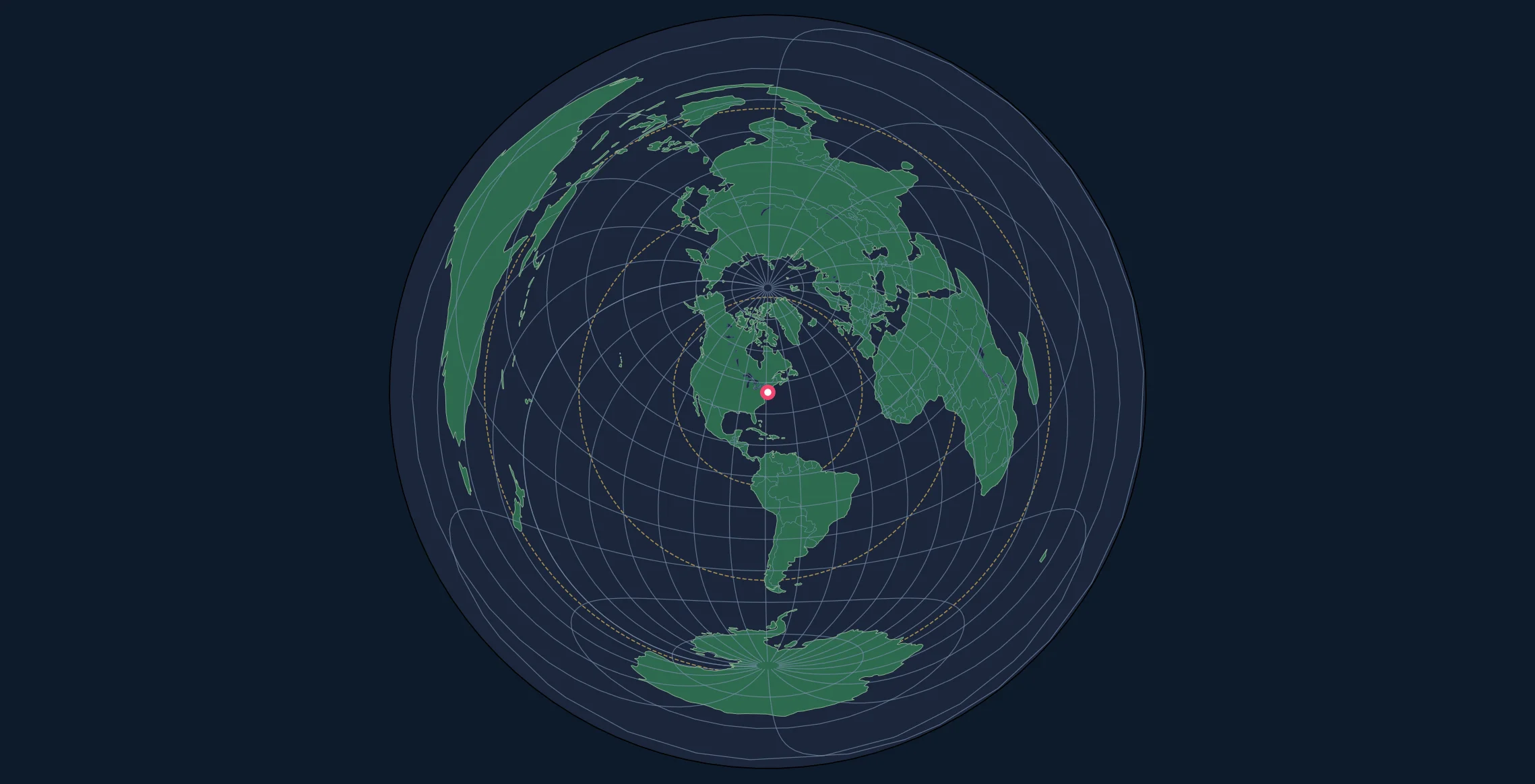
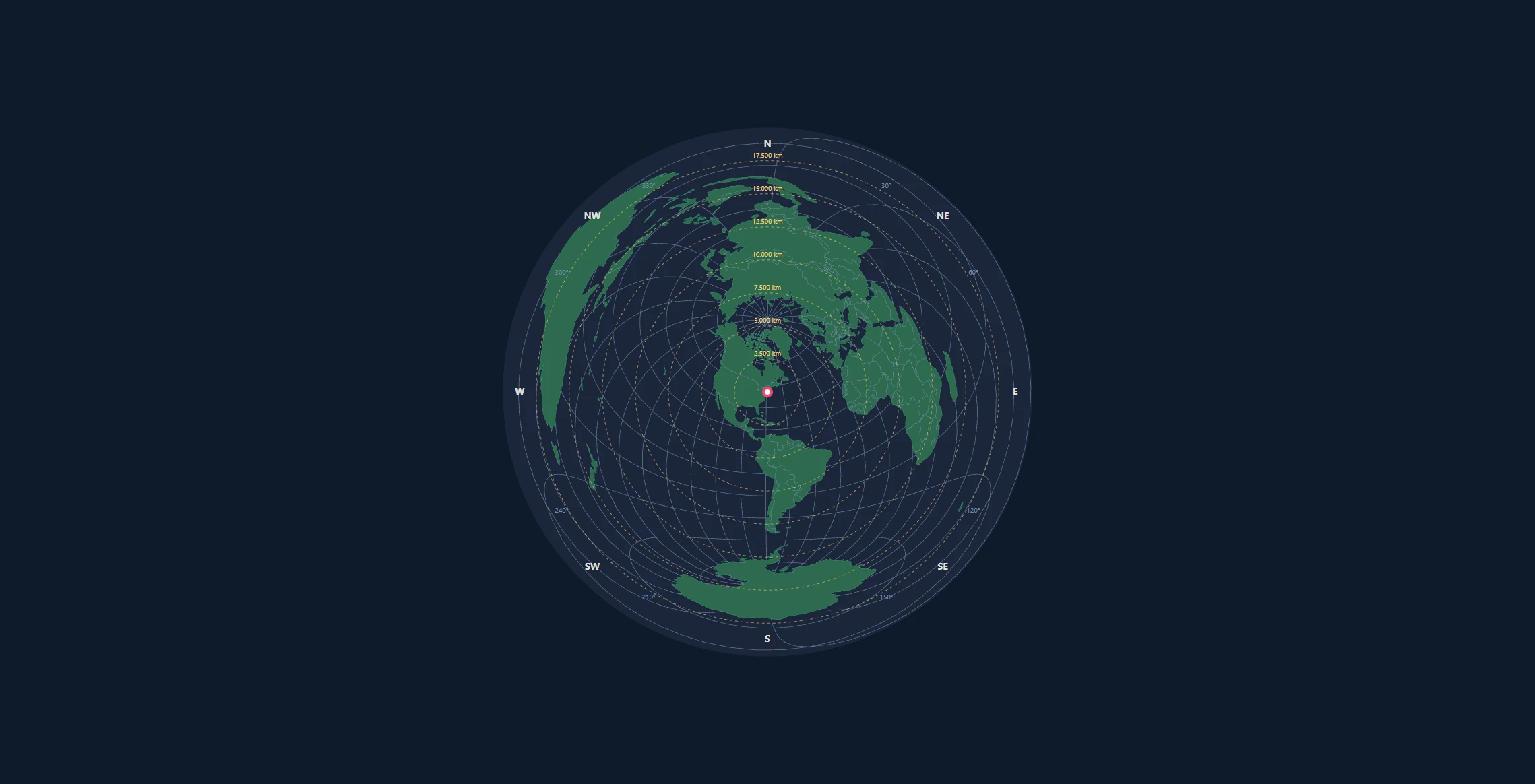
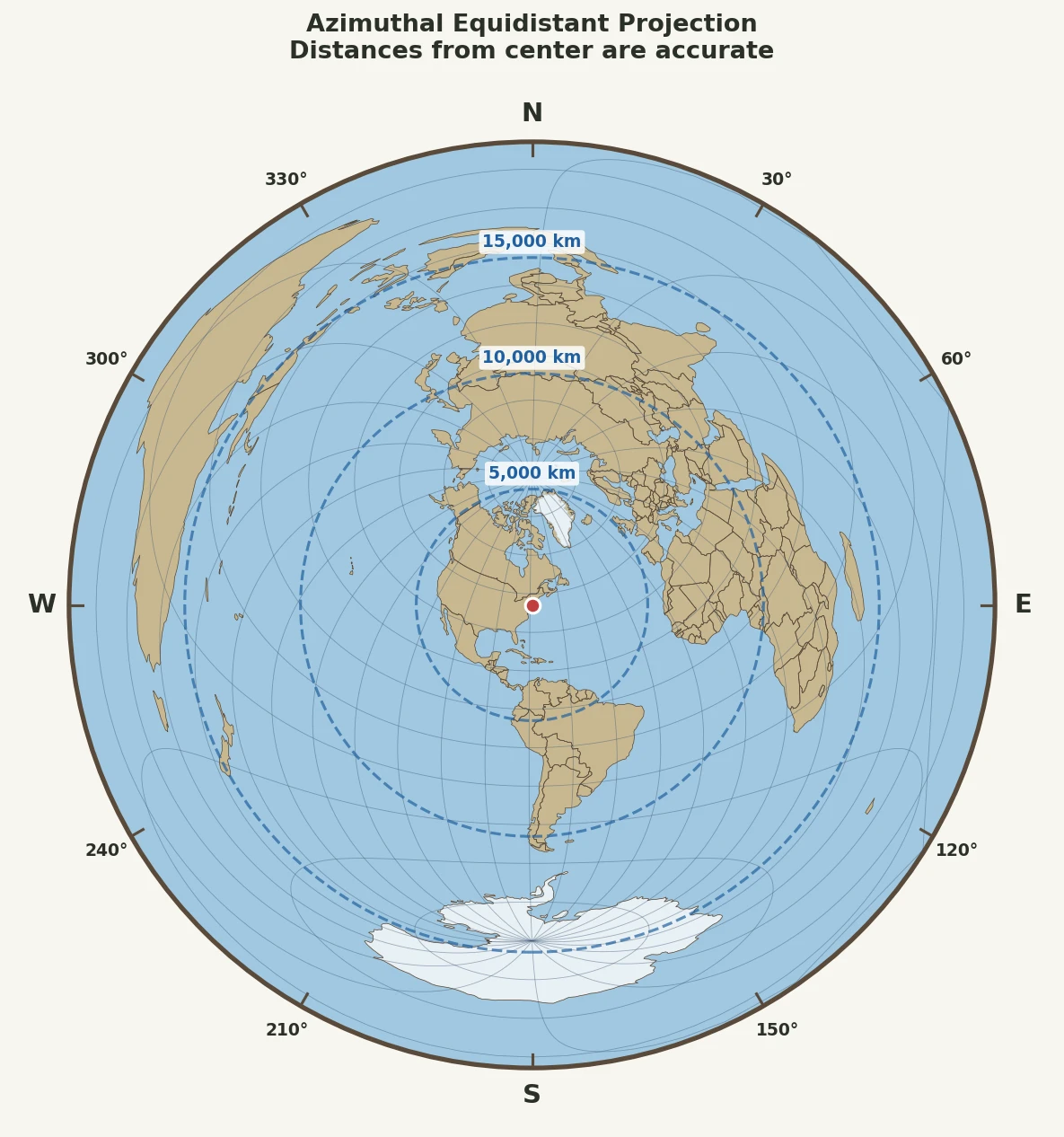
The azimuthal equidistant projection maintains true distances from the center point to every other location on the map. If the center is New York City and Tokyo is 10,800 km away on the globe, it will appear exactly that distance (at scale) on the map.
The Mathematics
The projection formula for distance from center is elegantly simple:
$$\rho = R \cdot c$$
Where: - $\rho$ = radial distance on the map - $R$ = map scale factor - $c$ = angular distance from center (in radians)
This linear relationship between map distance and actual distance is the projection's defining characteristic.
What It Distorts
To maintain accurate distances, the azimuthal equidistant projection sacrifices area accuracy. Regions near the map's edge appear significantly larger than their true size:
| Distance from Center | Area Distortion Factor |
|---|---|
| 0-5,000 km | 1.0x – 1.2x |
| 5,000-10,000 km | 1.2x – 1.8x |
| 10,000-15,000 km | 1.8x – 3.5x |
| 15,000-20,000 km | 3.5x – ∞ (antipode) |
At the antipode (opposite side of Earth), distortion becomes infinite—a single point stretches into the entire outer edge of the map.
Ideal Use Cases
Use azimuthal equidistant when you need to:
- Measure distances from a specific location
- Determine compass bearings for navigation or antenna pointing
- Plan great circle routes (straight lines from center)
- Visualize range rings (missile range, radio coverage, earthquake impacts)
- Answer "how far from here?" questions
Real-world examples: - Ham radio operators determining beam headings - Airlines planning flight routes from hub airports - Seismologists measuring earthquake epicenter distances - Military analysts creating range maps
Understanding Lambert Azimuthal Equal-Area Projections
What It Preserves
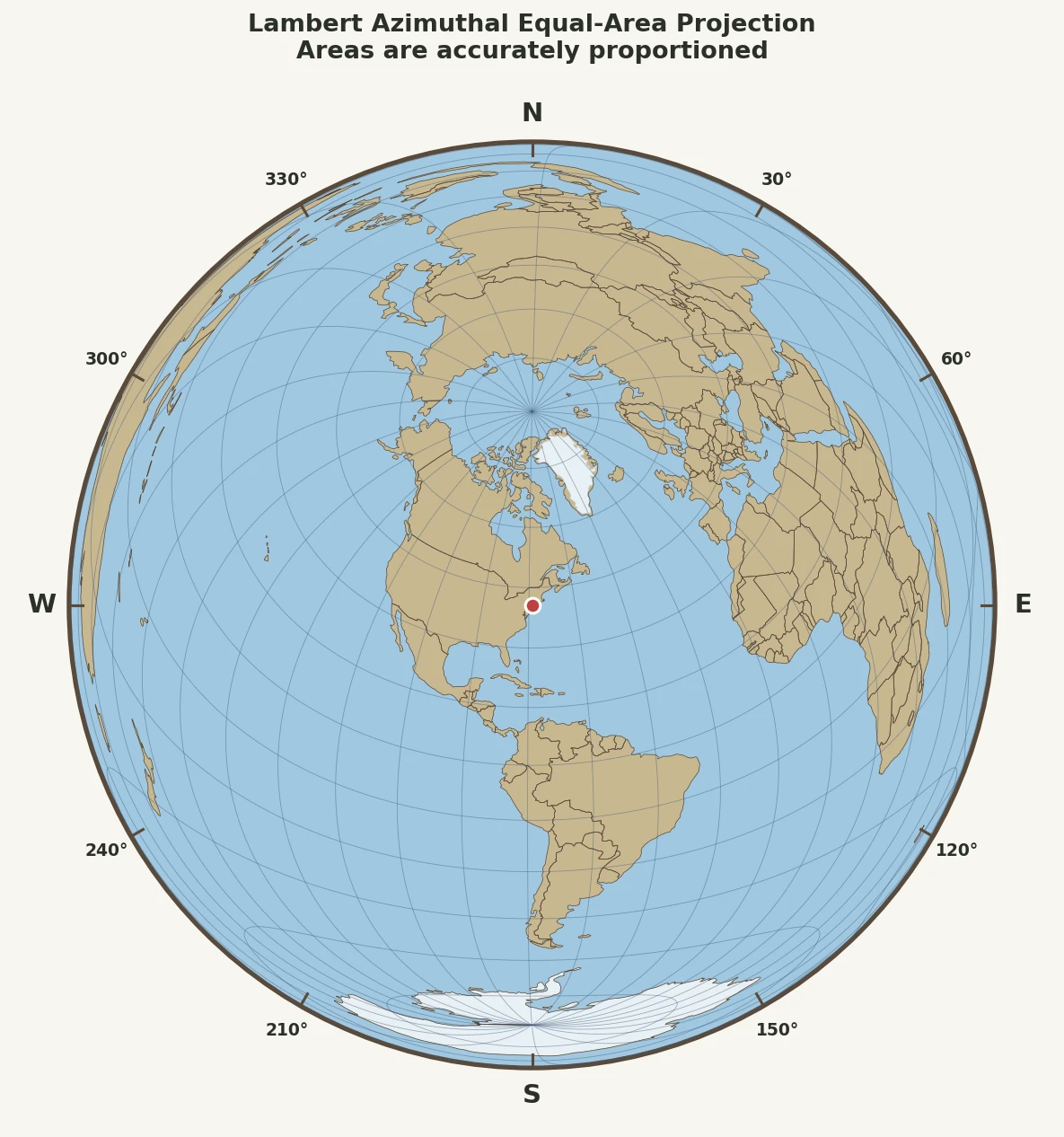
The Lambert azimuthal equal-area projection maintains accurate relative sizes of all areas on the map. A country that's twice as large as another on Earth will appear twice as large on the map—regardless of where it falls.
The Mathematics
The equal-area projection uses a more complex formula:
$$\rho = 2R \sin\left(\frac{c}{2}\right)$$
This non-linear relationship compresses distances as you move away from center, which is exactly what's needed to preserve area.
The scale factor ($k'$) varies across the map:
$$k' = \sec\left(\frac{c}{2}\right)$$
At the center, $k' = 1$ (no distortion). At the antipode, $k' = \sqrt{2} \approx 1.41$ (41% shape distortion, but area remains correct).
What It Distorts
To maintain accurate areas, the Lambert projection distorts distances from the center:
| Distance from Center | Distance Compression |
|---|---|
| 0-5,000 km | <5% |
| 5,000-10,000 km | 5-12% |
| 10,000-15,000 km | 12-22% |
| 15,000-20,000 km | 22-29% |
Unlike the equidistant projection, distortion at the antipode is finite and manageable.
Ideal Use Cases
Use Lambert equal-area when you need to:
- Compare sizes of different regions
- Create thematic maps showing statistical data
- Visualize density (population, rainfall, etc.)
- Map distributions of phenomena across space
- Produce atlas-quality continental maps
Real-world examples: - Choropleth maps showing election results - Climate maps displaying precipitation patterns - Population density visualizations - Geological surveys of continental regions - Land use and vegetation mapping
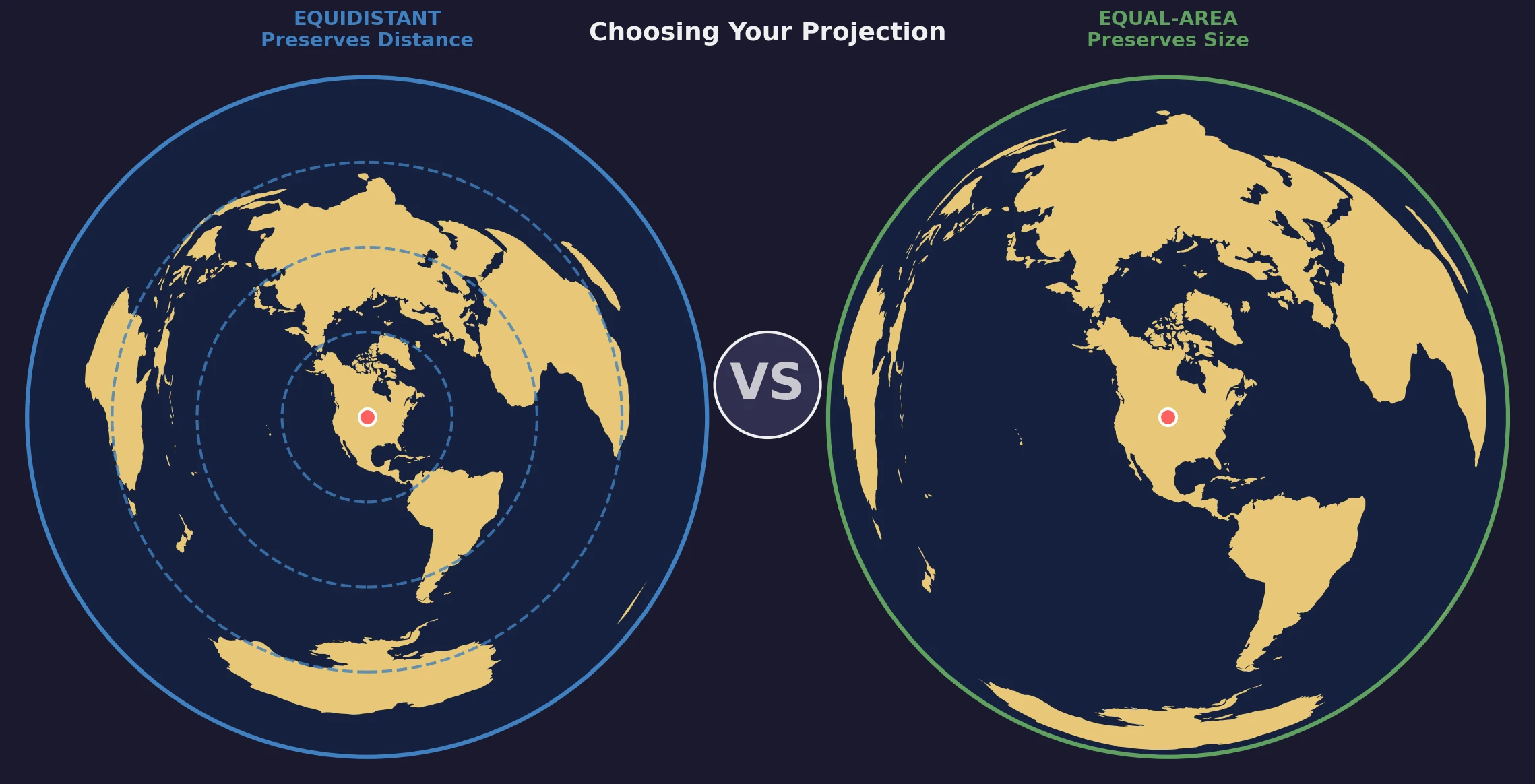
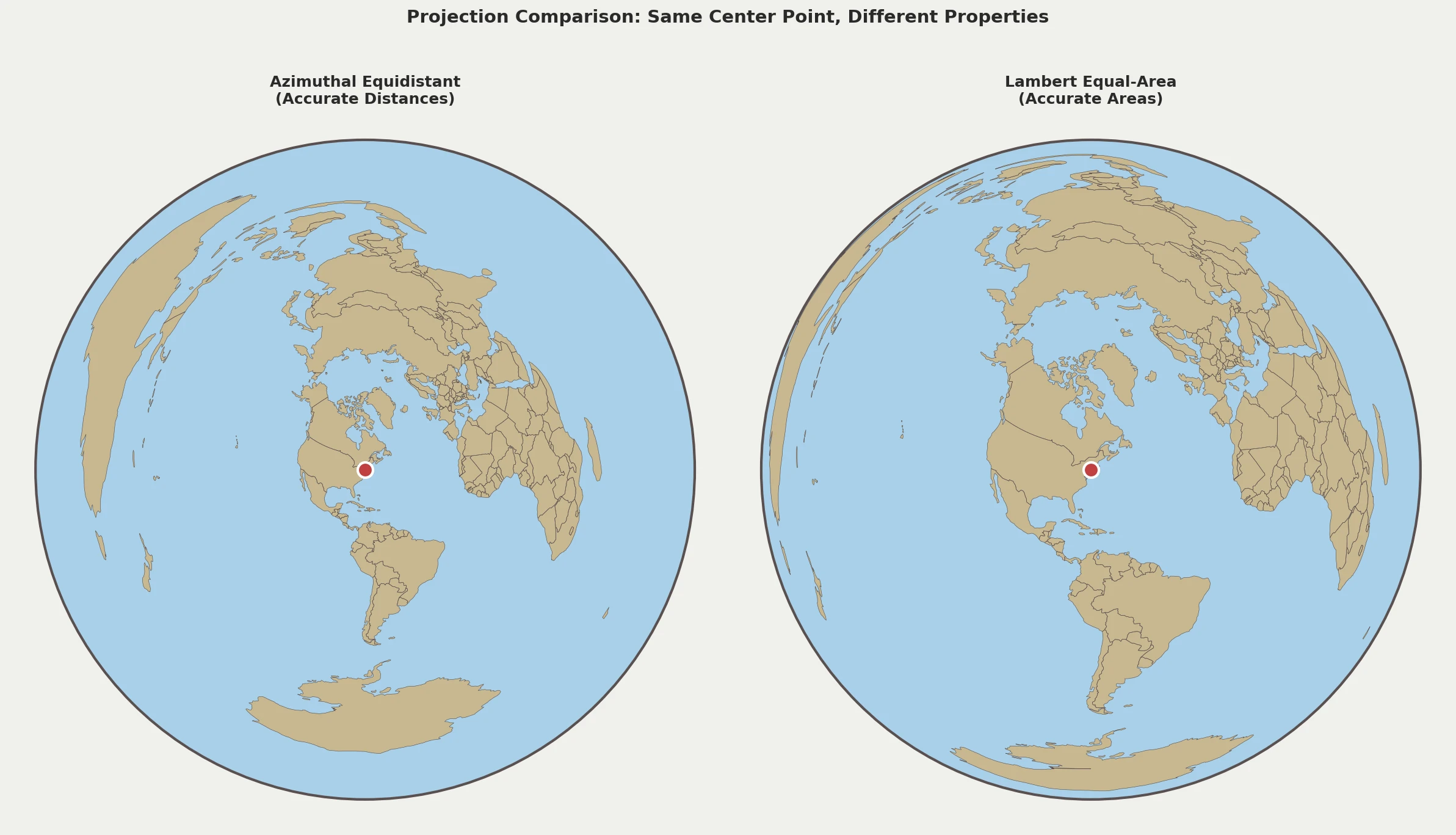
Visual Comparison: Side by Side
Key Visual Differences
-
Outer regions: In equidistant maps, Antarctica and Australia appear bloated; in equal-area maps, they're proportionally sized
-
Graticule spacing: Equidistant maps show evenly-spaced distance circles; equal-area maps show compressed circles toward edges
-
Shape at edges: Both distort shapes, but equal-area maintains recognizable continents better at the antipode
Decision Framework
Use this flowchart to determine which projection fits your needs:
Step 1: What's Your Primary Question?
"How far is X from my location?" → Azimuthal Equidistant
"What's the relative size of these regions?" → Lambert Equal-Area
Step 2: What's Your Application?
| Application | Recommended Projection |
|---|---|
| Navigation & wayfinding | Equidistant |
| Radio/telecommunications | Equidistant |
| Flight planning | Equidistant |
| Seismology & impact zones | Equidistant |
| Statistical/thematic maps | Equal-Area |
| Population studies | Equal-Area |
| Climate & environmental data | Equal-Area |
| Political maps & atlases | Equal-Area |
| General reference | Depends on focus |
Step 3: Where Is Your Area of Interest?
If most of your data is near the center: Either projection works well—distortion is minimal close to the center point.
If your data spans the entire globe: - Use equal-area if comparing regions fairly is important - Use equidistant if distance relationships matter most
If your focus is the antipodal region: The equal-area projection handles the antipode more gracefully.
Common Mistakes
Mistake 1: Using Equidistant for Thematic Maps
Problem: If you create a population density map using azimuthal equidistant projection, regions far from the center appear disproportionately large, making their populations seem more significant than they are.
Solution: Use Lambert equal-area for any visualization where accurate size comparison matters.
Mistake 2: Using Equal-Area for Distance Measurement
Problem: Measuring distances on a Lambert projection gives increasingly inaccurate results as you move from the center.
Solution: Use azimuthal equidistant for any distance-based analysis.
Mistake 3: Assuming "Azimuthal" Means the Same Thing
Problem: Both projections are "azimuthal" (preserving direction from center), leading some to assume they're interchangeable.
Solution: Always specify "equidistant" or "equal-area" and verify which type you're using before critical measurements.
Mistake 4: Ignoring the Center Point
Problem: Using a polar-centered projection when you need measurements from Tokyo.
Solution: Create or obtain a projection centered on your specific location of interest.
Hybrid Approaches
In some cases, you might need both distance and area preservation. Here are strategies:
Dual-Map Approach
Create two maps side-by-side: 1. Equidistant for distance/direction reference 2. Equal-area for size comparison
This approach is common in atlases and educational materials.
Inset Maps
Use one projection for the main map with insets in the other projection for specific regions or purposes.
Interactive Tools
Modern digital mapping tools (including our map generator) allow you to switch between projection types instantly, letting you analyze the same data from multiple perspectives.
Technical Deep Dive: Tissot's Indicatrices
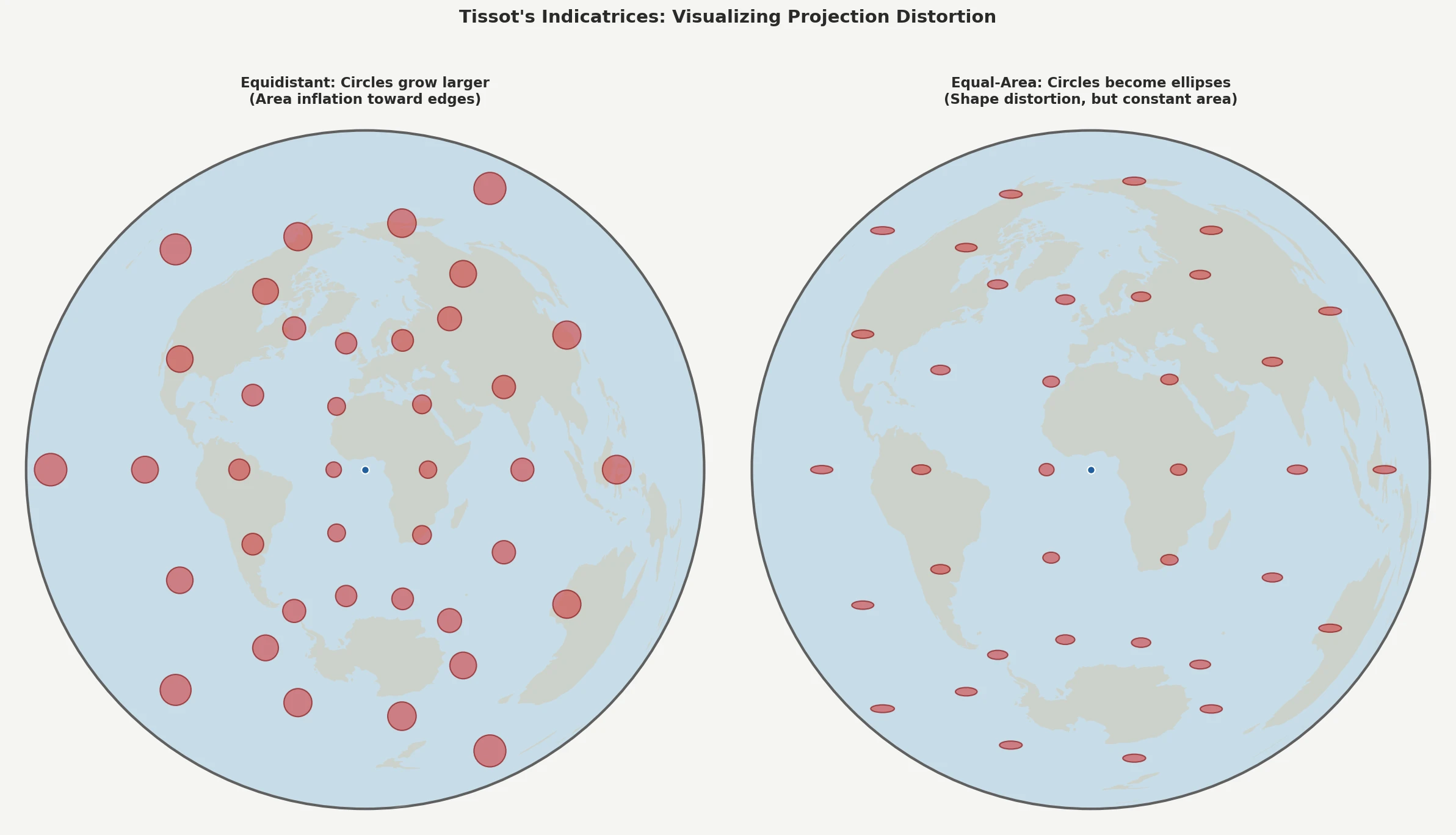
For cartographers and GIS professionals, Tissot's indicatrices provide a rigorous way to visualize distortion. These small circles placed at regular intervals across the map reveal:
- Azimuthal Equidistant: Indicatrices grow into larger circles toward the edge (area inflation)
- Lambert Equal-Area: Indicatrices become ellipses toward the edge (shape distortion) but maintain constant area
Summary: Making the Right Choice
| Choose This | When You Need |
|---|---|
| Azimuthal Equidistant | True distances from a point, navigation bearings, range visualization, great circle routes |
| Lambert Equal-Area | Fair size comparisons, statistical maps, density visualization, continental/global thematic mapping |
Both projections excel at what they're designed for—the key is matching the projection to your purpose.
The Golden Rules
- Know your center point — both projections require one
- Define your primary need — distance or area?
- Consider your audience — what do they need to understand?
- Verify your projection — always confirm which type you're using
- Accept trade-offs — no flat map can preserve everything
Try Both Projections
Ready to see the difference yourself? Our interactive map generator supports both azimuthal equidistant and Lambert equal-area projections. Create maps centered on any location and compare how different regions appear under each projection.
For more on reading these maps effectively, check out our guide on How to Read an Azimuthal Equidistant Map.