Introduction
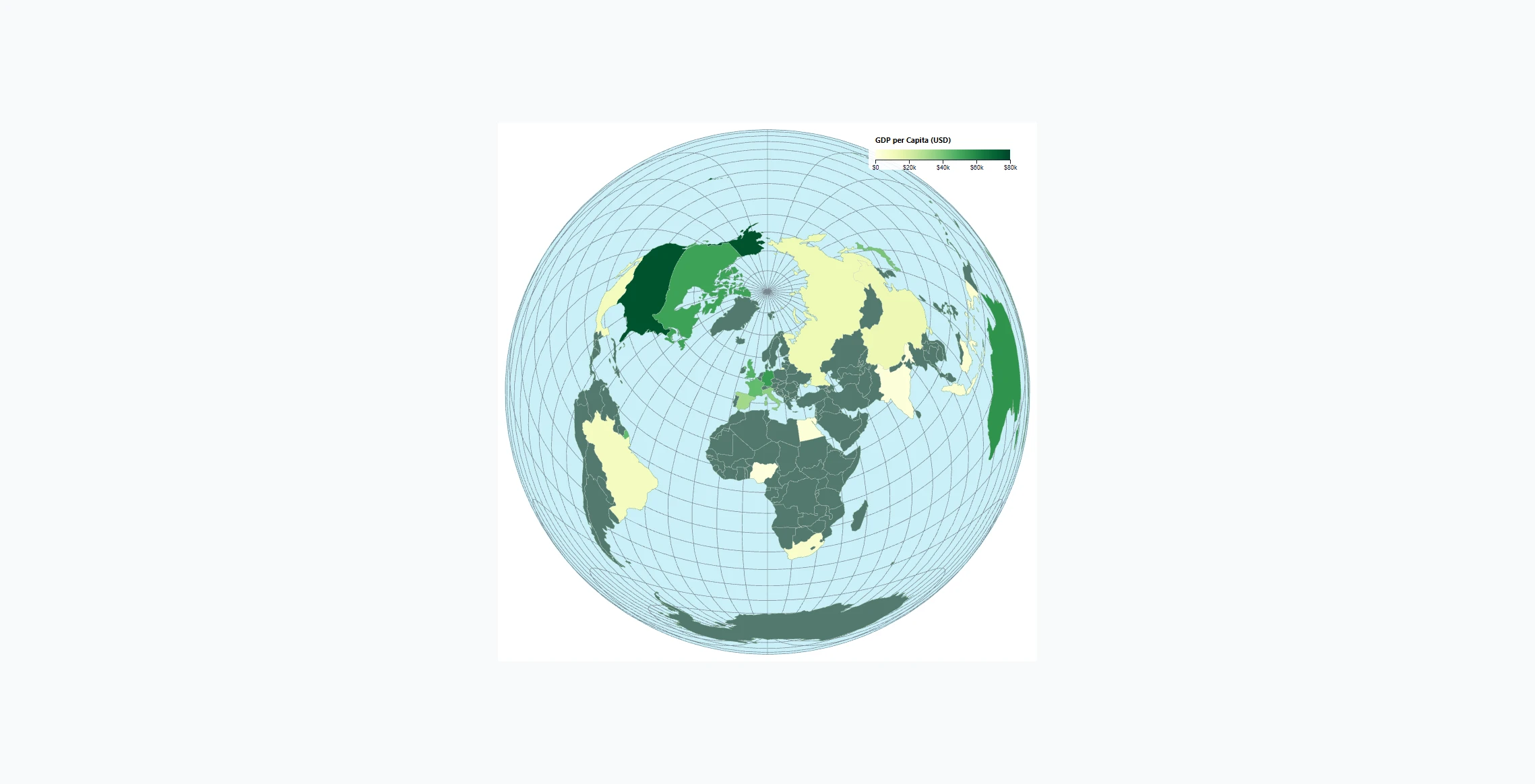
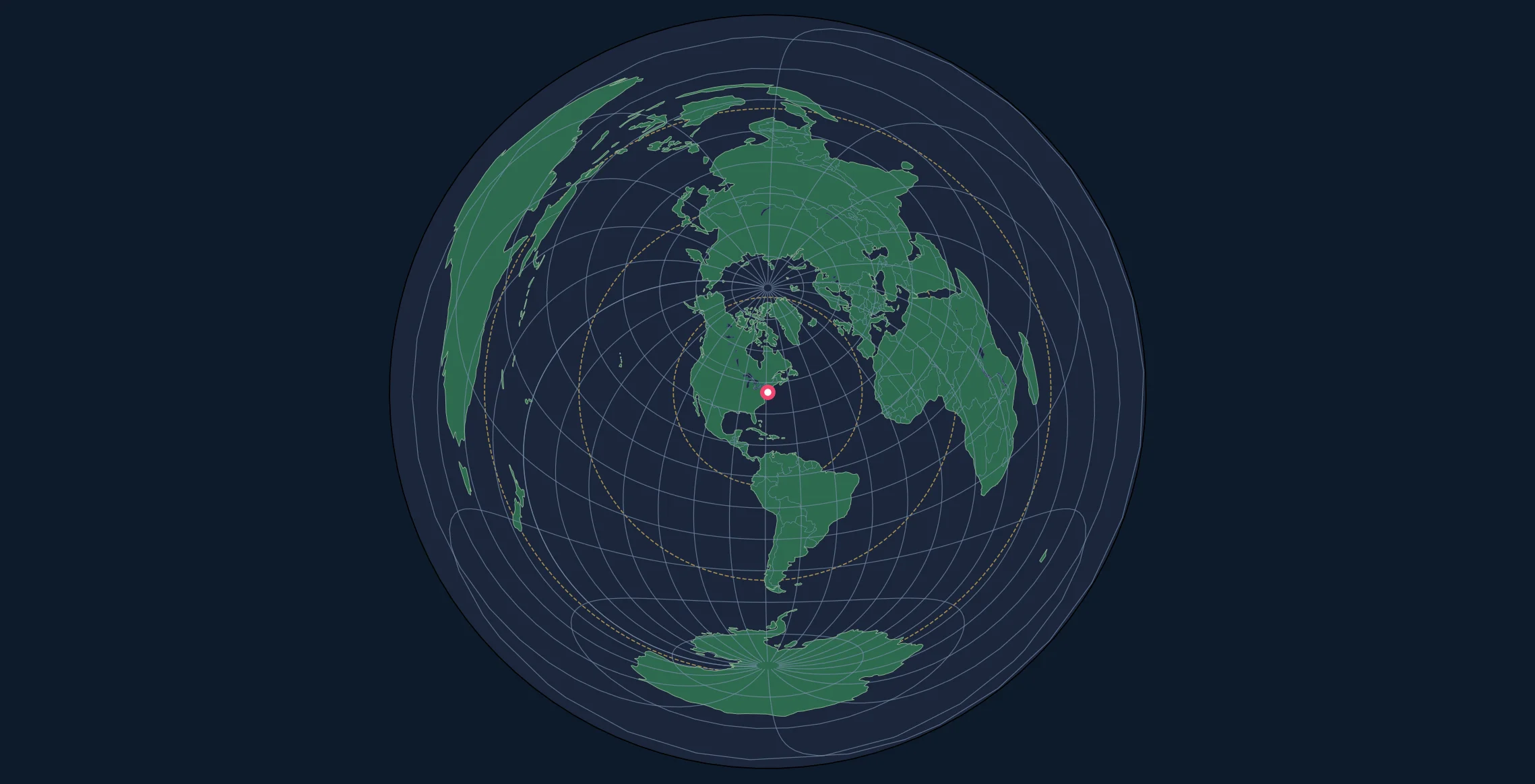
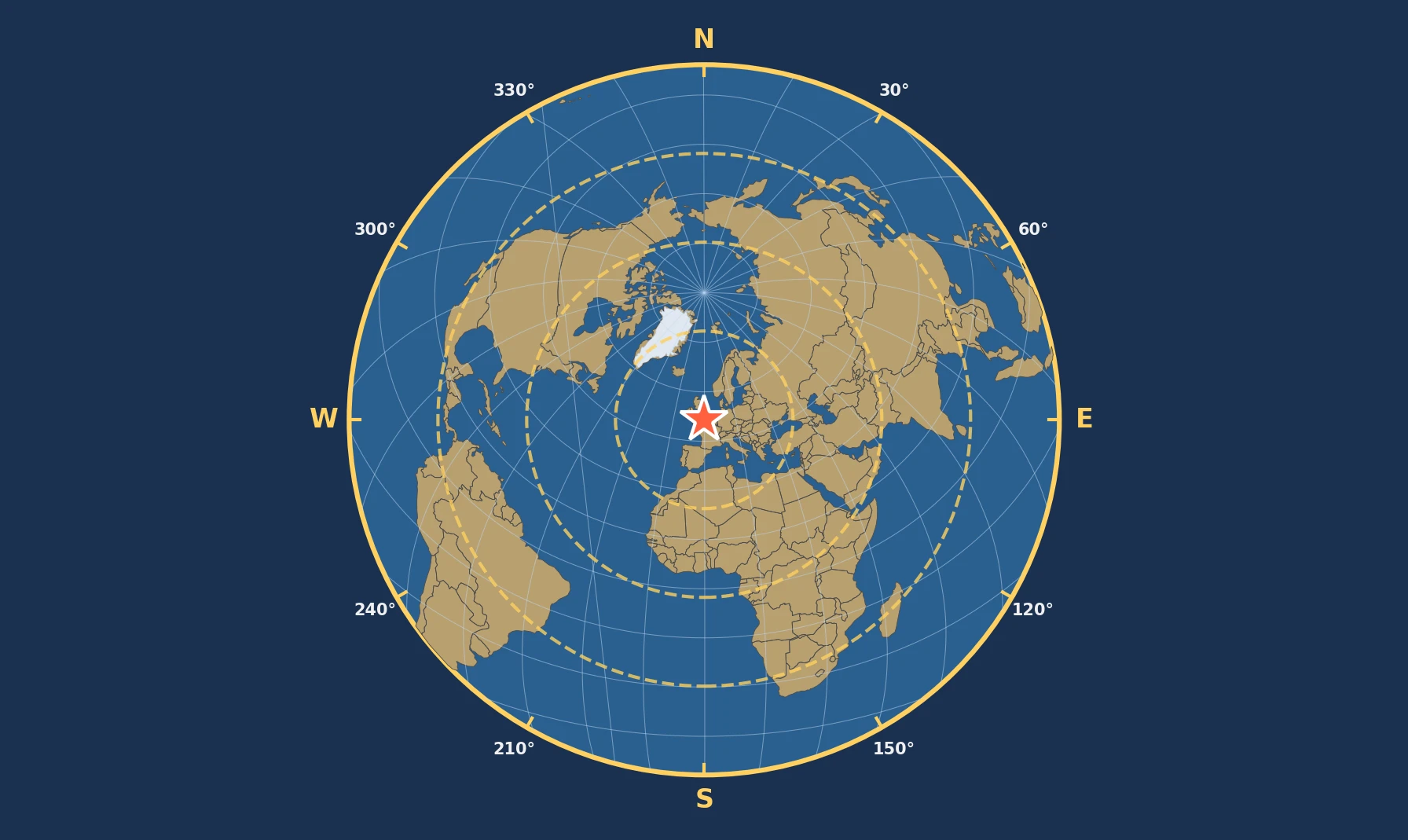
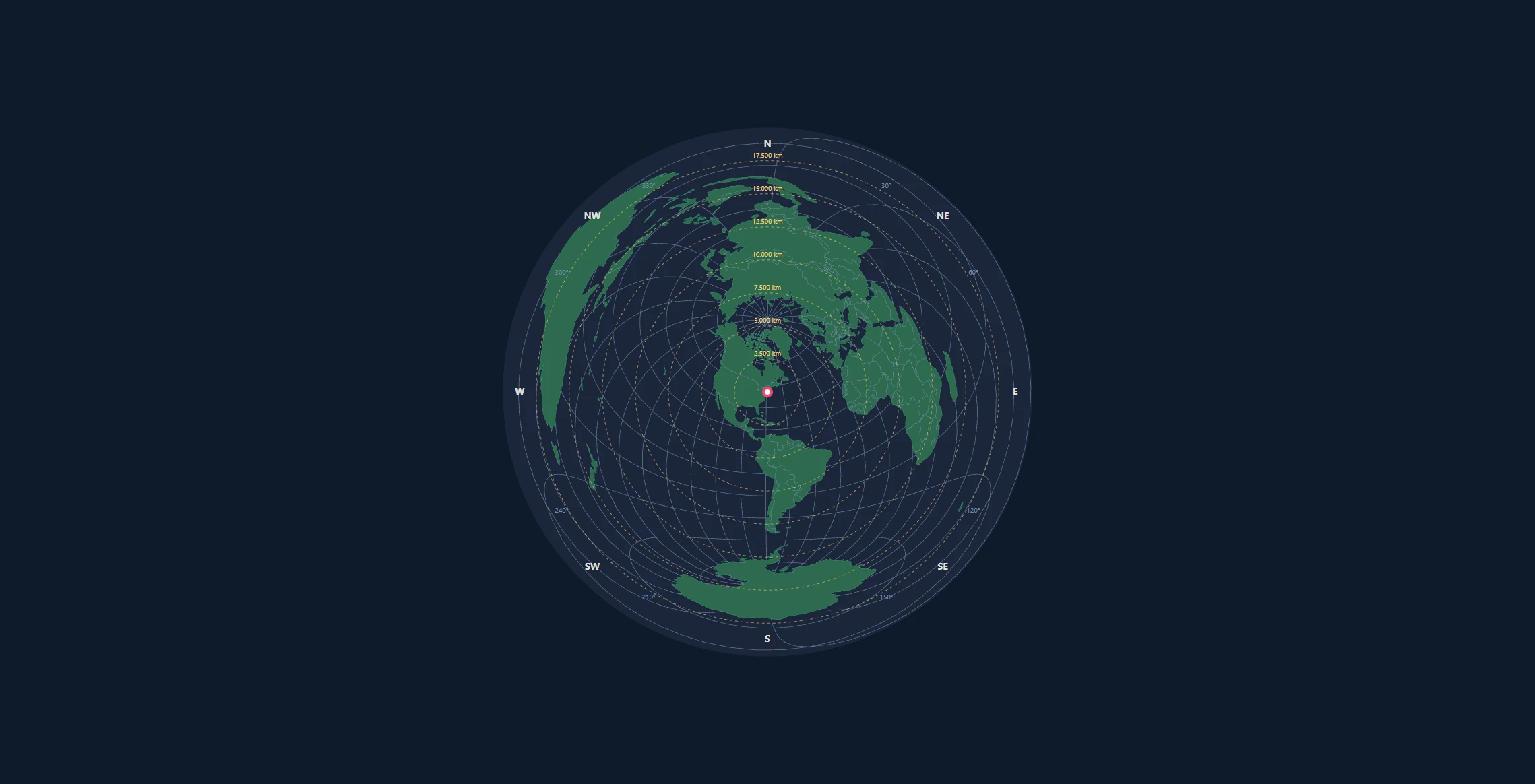
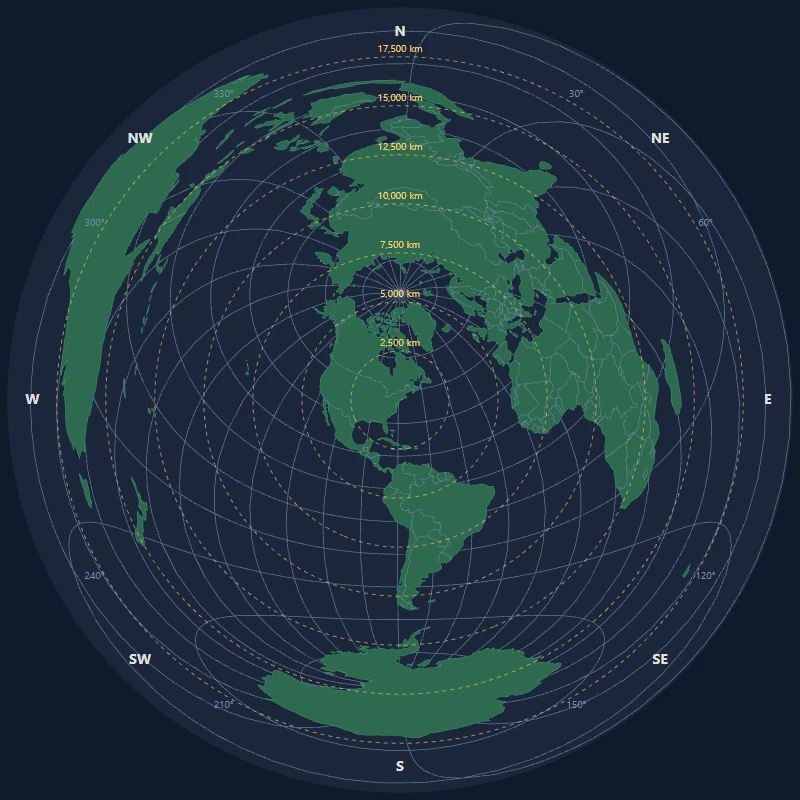
D3.js (Data-Driven Documents) is the gold standard for web-based data visualization, and its geo module provides powerful tools for creating map projections. In this tutorial, you'll learn how to create azimuthal equidistant maps—projections where distances and directions from a center point are preserved accurately.
By the end of this guide, you'll be able to:
- Set up a D3.js project with geo projections
- Create an azimuthal equidistant map centered on any location
- Add graticules (latitude/longitude grid lines)
- Draw country boundaries and coastlines
- Add distance rings and azimuth labels
- Make the map interactive with pan and zoom
Prerequisites
Before starting, you should have:
- Basic knowledge of HTML, CSS, and JavaScript
- Node.js installed (for local development) or use a CDN
- A text editor or IDE
- Understanding of basic cartographic concepts
Setting Up Your Project
HTML Structure
Create an index.html file with the following structure:
<!DOCTYPE html>
<html lang="en">
<head>
    <meta charset="UTF-8">
    <meta name="viewport" content="width=device-width, initial-scale=1.0">
    <title>Azimuthal Equidistant Map - D3.js</title>
    <style>
        body {
            margin: 0;
            display: flex;
            justify-content: center;
            align-items: center;
            min-height: 100vh;
            background: #1a1a2e;
        }

        #map-container {
            background: #0d1b2a;
            border-radius: 50%;
            overflow: hidden;
        }

        .land {
            fill: #2d6a4f;
            stroke: #40916c;
            stroke-width: 0.5;
        }

        .graticule {
            fill: none;
            stroke: #778da9;
            stroke-width: 0.7;
            stroke-opacity: 0.8;
        }

        .boundary {
            fill: none;
            stroke: #778da9;
            stroke-width: 0.5;
        }

        .ocean {
            fill: #0d1b2a;
        }
    </style>
</head>
<body>
    <div id="map-container"></div>

    <script src="https://d3js.org/d3.v7.min.js"></script>
    <script src="https://d3js.org/topojson.v3.min.js"></script>
    <script src="map.js"></script>
</body>
</html>
Getting World Data
D3.js works best with TopoJSON format for geographic data. You can use the Natural Earth dataset:
// We'll load world data from a CDN
const worldDataUrl = "https://cdn.jsdelivr.net/npm/world-atlas@2/countries-110m.json";
Understanding the Azimuthal Equidistant Projection
The Mathematics
The azimuthal equidistant projection maps the sphere onto a plane such that:
- All points are at their true distance from the center point
- All points are in their true direction (azimuth) from the center
The projection formulas are:
$$x = k \cdot \cos(\phi) \cdot \sin(\lambda - \lambda_0)$$
$$y = k \cdot [\cos(\phi_0) \cdot \sin(\phi) - \sin(\phi_0) \cdot \cos(\phi) \cdot \cos(\lambda - \lambda_0)]$$
Where: - $(\phi, \lambda)$ is the point's latitude and longitude - $(\phi_0, \lambda_0)$ is the center point - $k$ is a scale factor based on angular distance from center
D3's Implementation
D3.js handles all this math for you with d3.geoAzimuthalEquidistant():
const projection = d3.geoAzimuthalEquidistant()
    .rotate([-centerLon, -centerLat])  // Note: negative values!
    .scale(200)
    .translate([width / 2, height / 2]);
Important: D3 uses .rotate() with negative longitude and latitude values because it rotates the globe under a fixed projection plane.
Building the Map
Step 1: Basic Setup
Create map.js:
// Configuration
const width = 800;
const height = 800;
const centerLat = 40.7128;   // New York City
const centerLon = -74.0060;

// Create SVG container
const svg = d3.select("#map-container")
    .append("svg")
    .attr("width", width)
    .attr("height", height)
    .attr("viewBox", [0, 0, width, height]);

// Create the projection
const projection = d3.geoAzimuthalEquidistant()
    .rotate([-centerLon, -centerLat])
    .scale(125)
    .translate([width / 2, height / 2])
    .clipAngle(179.9);  // Full globe (use 90 for hemisphere)

// Create path generator
const path = d3.geoPath().projection(projection);
Step 2: Add the Ocean Background
// Add circular ocean background
svg.append("circle")
    .attr("cx", width / 2)
    .attr("cy", height / 2)
    .attr("r", projection.scale() * Math.PI)
    .attr("class", "ocean");
Step 3: Add Graticules
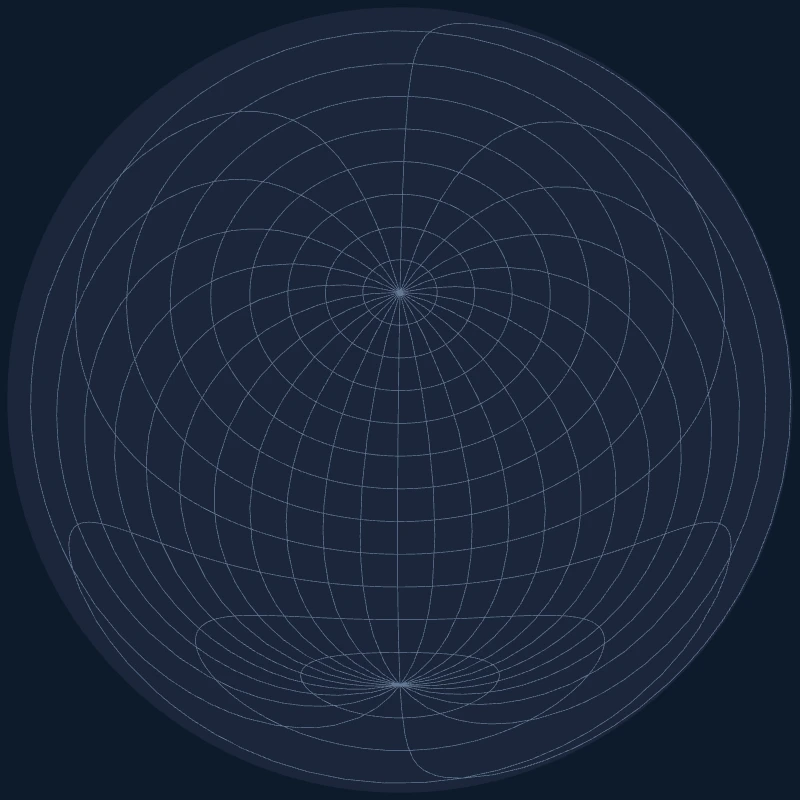
Graticules are the latitude/longitude grid lines that help readers understand position:
// Create graticule generator
const graticule = d3.geoGraticule()
    .step([15, 15]);  // Lines every 15 degrees

// Add graticule to SVG
svg.append("path")
    .datum(graticule())
    .attr("class", "graticule")
    .attr("d", path);
Step 4: Load and Render World Data
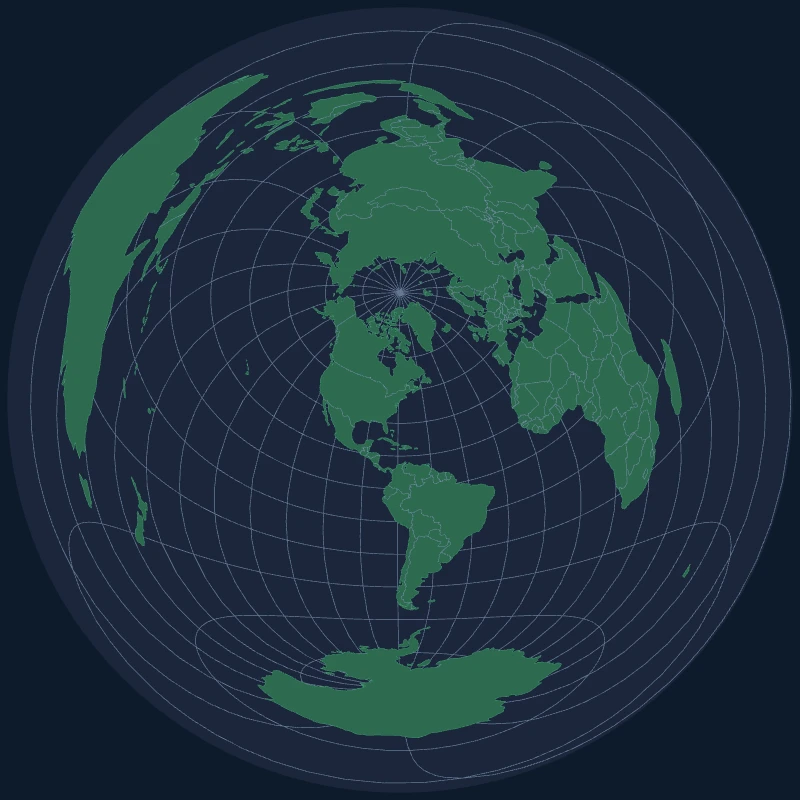
// Load world topology
async function loadMap() {
    const world = await d3.json(
        "https://cdn.jsdelivr.net/npm/world-atlas@2/countries-110m.json"
    );

    // Extract land features
    const land = topojson.feature(world, world.objects.land);
    const countries = topojson.feature(world, world.objects.countries);
    const borders = topojson.mesh(
        world,
        world.objects.countries,
        (a, b) => a !== b
    );

    // Draw land masses
    svg.append("path")
        .datum(land)
        .attr("class", "land")
        .attr("d", path);

    // Draw country borders
    svg.append("path")
        .datum(borders)
        .attr("class", "boundary")
        .attr("d", path);
}

loadMap();
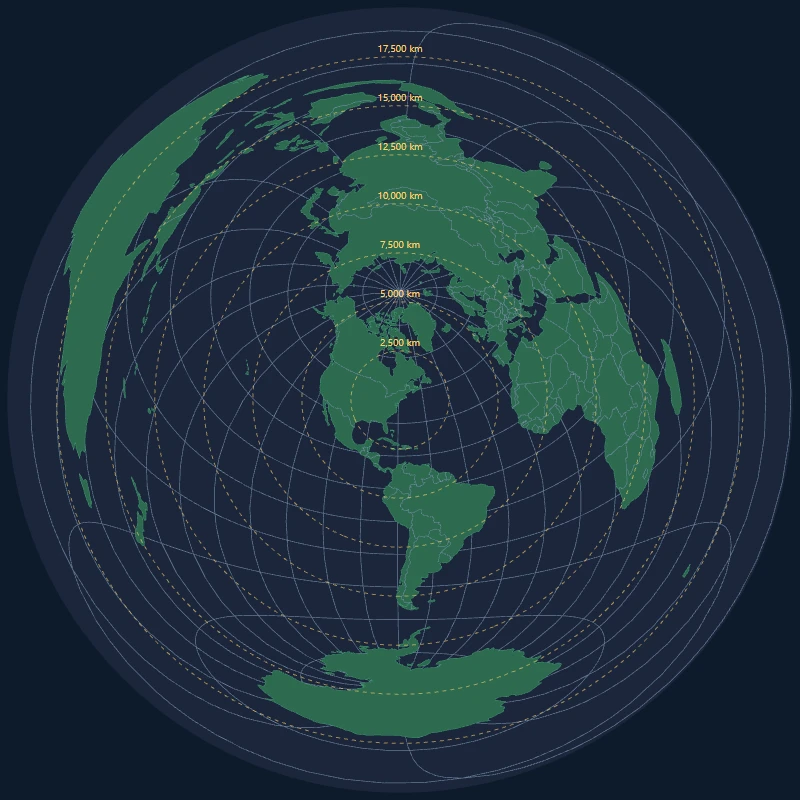
Adding Distance Rings
Distance rings help users measure how far locations are from the center point:
function addDistanceRings(svg, projection, centerLat, centerLon) {
    const earthRadius = 6371; // km
    const ringDistances = [2500, 5000, 7500, 10000, 12500, 15000, 17500];

    const ringGroup = svg.append("g").attr("class", "distance-rings");

    ringDistances.forEach(distance => {
        // Calculate angular distance
        const angularDistance = (distance / earthRadius) * (180 / Math.PI);

        // Create a circle at this distance from center
        const ring = d3.geoCircle()
            .center([centerLon, centerLat])
            .radius(angularDistance);

        ringGroup.append("path")
            .datum(ring())
            .attr("d", path)
            .attr("fill", "none")
            .attr("stroke", "#ffd166")
            .attr("stroke-width", 1)
            .attr("stroke-dasharray", "4,4")
            .attr("opacity", 0.6);

        // Add distance label
        const labelPoint = projection([
            centerLon,
            centerLat + angularDistance
        ]);

        if (labelPoint) {
            ringGroup.append("text")
                .attr("x", labelPoint[0] + 5)
                .attr("y", labelPoint[1])
                .attr("fill", "#ffd166")
                .attr("font-size", "10px")
                .text(`${distance.toLocaleString()} km`);
        }
    });
}
Adding Azimuth Labels
Azimuth labels around the edge show compass directions:
function addAzimuthLabels(svg, width, height) {
    const centerX = width / 2;
    const centerY = height / 2;
    const radius = Math.min(width, height) / 2 - 20;

    const directions = [
        { angle: 0, label: "N" },
        { angle: 45, label: "NE" },
        { angle: 90, label: "E" },
        { angle: 135, label: "SE" },
        { angle: 180, label: "S" },
        { angle: 225, label: "SW" },
        { angle: 270, label: "W" },
        { angle: 315, label: "NW" }
    ];

    const labelGroup = svg.append("g").attr("class", "azimuth-labels");

    directions.forEach(({ angle, label }) => {
        // Convert to radians (0° is North, clockwise)
        const radians = (angle - 90) * (Math.PI / 180);

        const x = centerX + radius * Math.cos(radians);
        const y = centerY + radius * Math.sin(radians);

        labelGroup.append("text")
            .attr("x", x)
            .attr("y", y)
            .attr("text-anchor", "middle")
            .attr("dominant-baseline", "middle")
            .attr("fill", "#e0e1dd")
            .attr("font-size", "14px")
            .attr("font-weight", "bold")
            .text(label);
    });

    // Add degree markers every 30°
    for (let deg = 0; deg < 360; deg += 30) {
        if (deg % 45 !== 0) {  // Skip cardinal/intercardinal
            const radians = (deg - 90) * (Math.PI / 180);
            const x = centerX + (radius - 10) * Math.cos(radians);
            const y = centerY + (radius - 10) * Math.sin(radians);

            labelGroup.append("text")
                .attr("x", x)
                .attr("y", y)
                .attr("text-anchor", "middle")
                .attr("fill", "#778da9")
                .attr("font-size", "10px")
                .text(`${deg}°`);
        }
    }
}
Making It Interactive
Changing the Center Point
Allow users to click anywhere to re-center the map:
svg.on("click", function(event) {
    const [x, y] = d3.pointer(event);
    const coords = projection.invert([x, y]);

    if (coords) {
        const [newLon, newLat] = coords;
        updateProjection(newLat, newLon);
    }
});

function updateProjection(lat, lon) {
    projection.rotate([-lon, -lat]);

    // Transition all paths smoothly
    svg.selectAll("path")
        .transition()
        .duration(750)
        .attr("d", path);

    // Update rings and labels...
}
Adding Zoom
const zoom = d3.zoom()
    .scaleExtent([0.5, 8])
    .on("zoom", (event) => {
        svg.selectAll("g").attr("transform", event.transform);
    });

svg.call(zoom);
Complete Working Example
Here's the full map.js file:
(async function() {
    // Configuration
    const width = 800;
    const height = 800;
    let centerLat = 40.7128;
    let centerLon = -74.0060;

    // Create SVG
    const svg = d3.select("#map-container")
        .append("svg")
        .attr("width", width)
        .attr("height", height);

    // Create projection
    const projection = d3.geoAzimuthalEquidistant()
        .rotate([-centerLon, -centerLat])
        .scale(125)
        .translate([width / 2, height / 2])
        .clipAngle(179.9);

    const path = d3.geoPath().projection(projection);

    // Ocean background
    svg.append("circle")
        .attr("cx", width / 2)
        .attr("cy", height / 2)
        .attr("r", projection.scale() * Math.PI)
        .attr("class", "ocean");

    // Graticules
    const graticule = d3.geoGraticule().step([15, 15]);
    svg.append("path")
        .datum(graticule())
        .attr("class", "graticule")
        .attr("d", path);

    // Load and render world
    const world = await d3.json(
        "https://cdn.jsdelivr.net/npm/world-atlas@2/countries-110m.json"
    );

    const land = topojson.feature(world, world.objects.land);
    const borders = topojson.mesh(
        world,
        world.objects.countries,
        (a, b) => a !== b
    );

    svg.append("path")
        .datum(land)
        .attr("class", "land")
        .attr("d", path);

    svg.append("path")
        .datum(borders)
        .attr("class", "boundary")
        .attr("d", path);

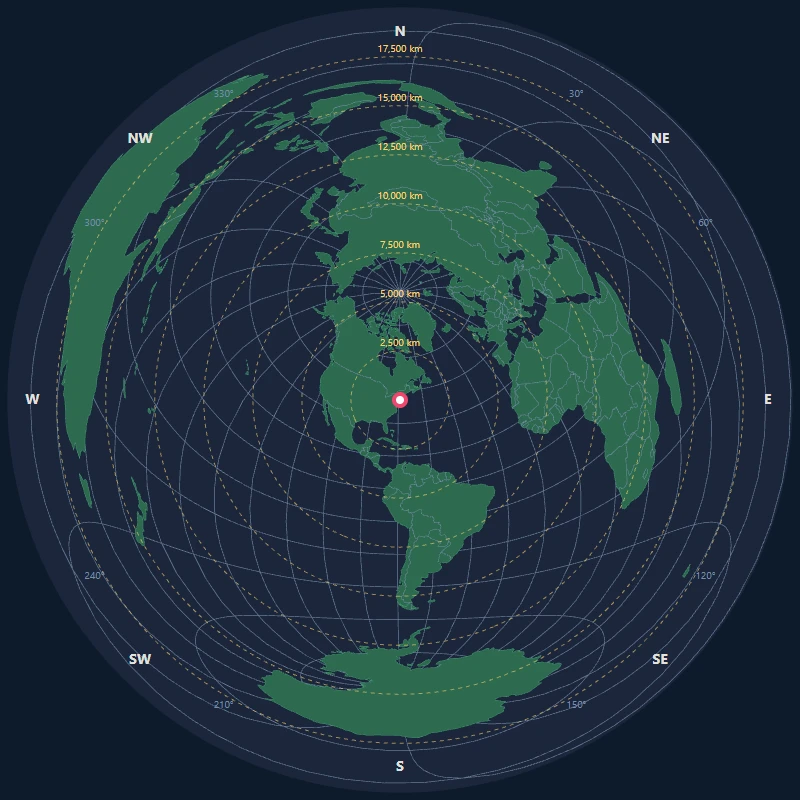
    // Add center marker
    const center = projection([centerLon, centerLat]);
    svg.append("circle")
        .attr("cx", center[0])
        .attr("cy", center[1])
        .attr("r", 5)
        .attr("fill", "#ef476f");

    console.log("Azimuthal Equidistant map centered on:", centerLat, centerLon);
})();
Performance Tips
- Use TopoJSON instead of GeoJSON—it's significantly smaller
- Simplify geometries for large datasets using
topojson.simplify() - Use Canvas for very detailed maps:
const context = canvas.getContext("2d");
const path = d3.geoPath()
    .projection(projection)
    .context(context);
- Throttle interactions when re-rendering on pan/zoom
Common Pitfalls
1. Rotation Direction
Remember: D3's .rotate() takes negative values of your center coordinates:
// To center on New York (40.7°N, 74°W)
.rotate([74.006, -40.7128])  // Note the signs!
2. Clip Angle
clipAngle(90)shows a hemisphereclipAngle(180)shows the full globe (with severe distortion at edges)
3. Antimeridian Cutting
D3 handles the antimeridian (180°/-180° longitude) automatically, but complex polygons may need preprocessing.
Next Steps
- Add tooltips showing country names and distances
- Implement a search box to center on any location
- Add a layer for cities or custom markers
- Export the map as SVG or PNG
Check out our Lambert Equal-Area tutorial for a projection that preserves area instead of distance.